 Outlier
 Mercor
 Handshake
 DataAnnotation

 Ethos AI
Step 01
Add your work
Chrome extension, optional. About 60 seconds, on sites your project allows.
Add to Chrome ->Or import. Spreadsheets, Clockify, and platform reports.
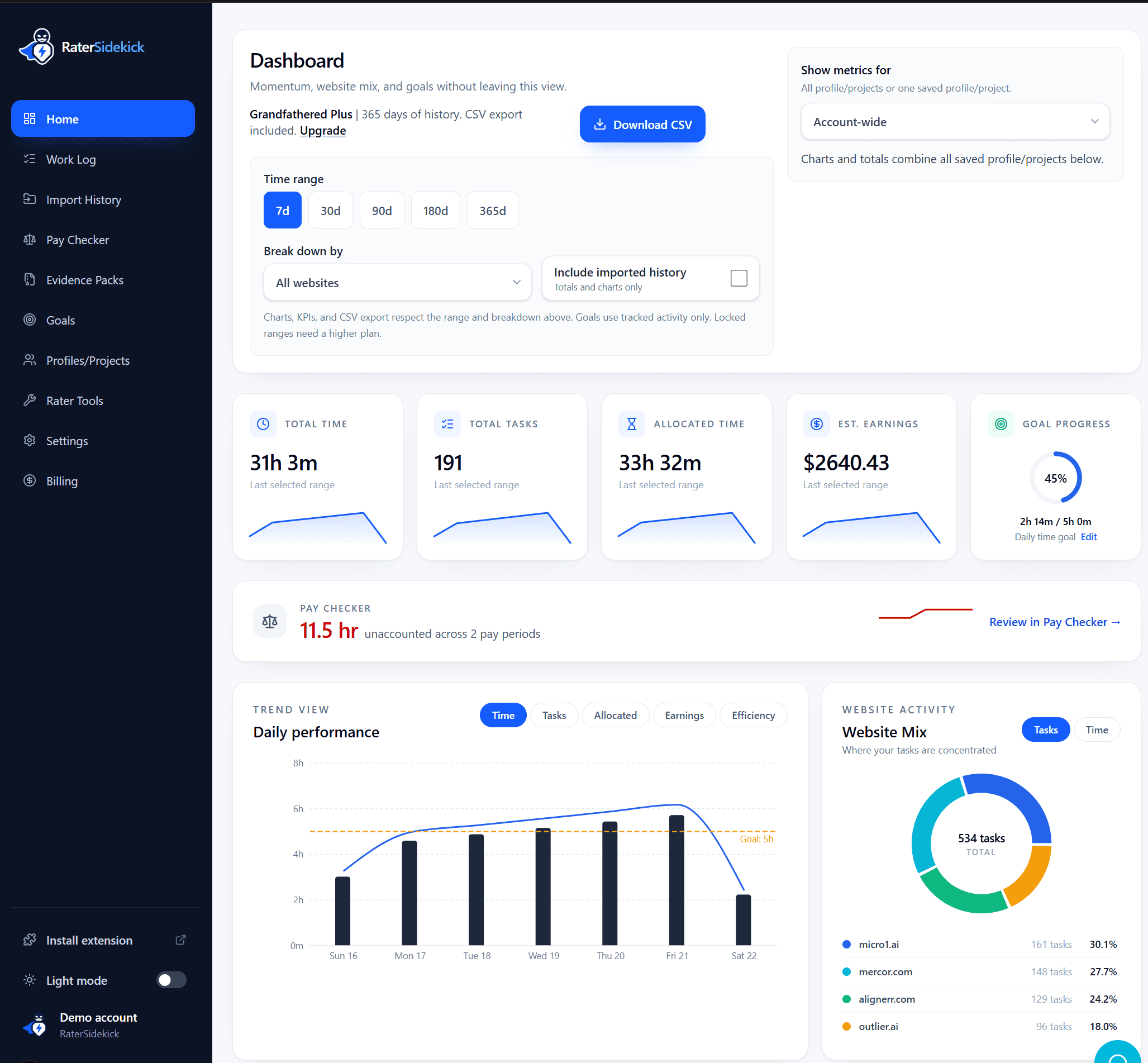
Import history ->RaterSidekick automatically builds a private record of projects, sessions, task activity, estimated earnings, and goals across the AI platforms you choose. The extension is optional: you can also import the reports you already keep.
Works with the sites you choose
Interactive demo
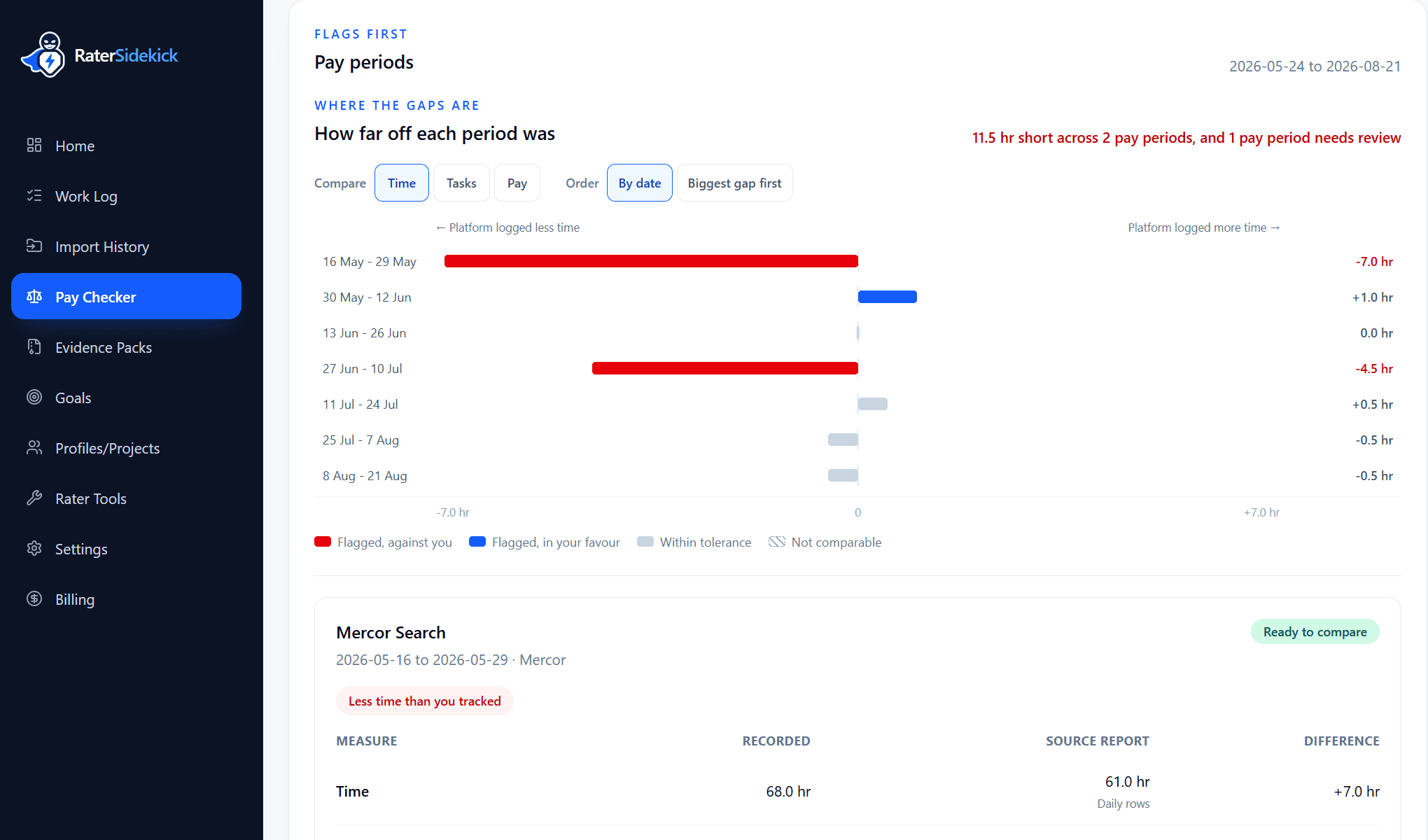
Pay Checker
Compare your record with platform reports—time, tasks, and pay, period by period.
Own your work
RaterSidekick gives you a clear, accurate view of your work across platforms - so you can track, analyze, and grow with confidence. When a platform shuts down its dashboard, you keep yours.
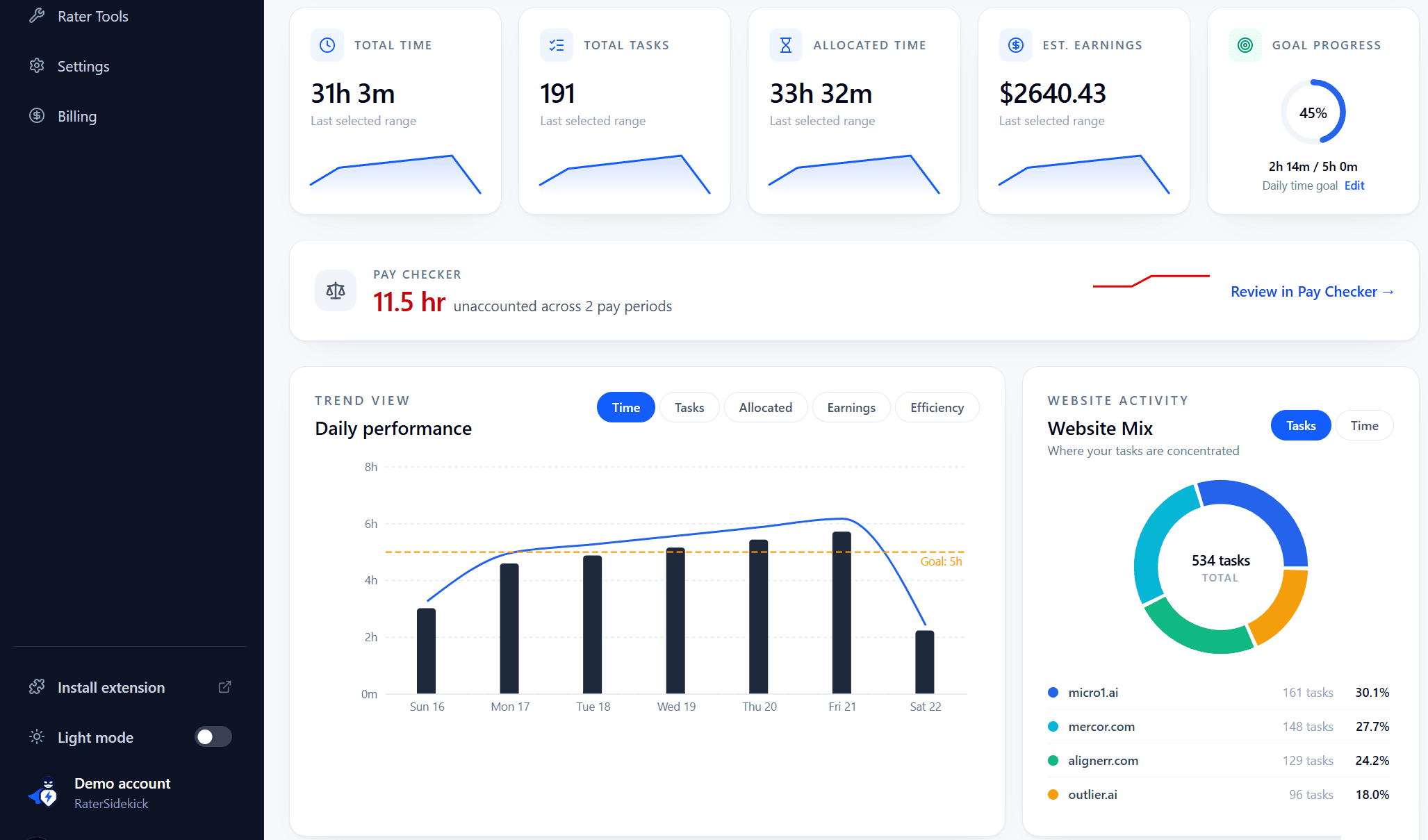
Import history
Import spreadsheet, Clockify, or platform export history so your record starts complete. Imported rows stay separate from tracked sessions - totals and charts show both.
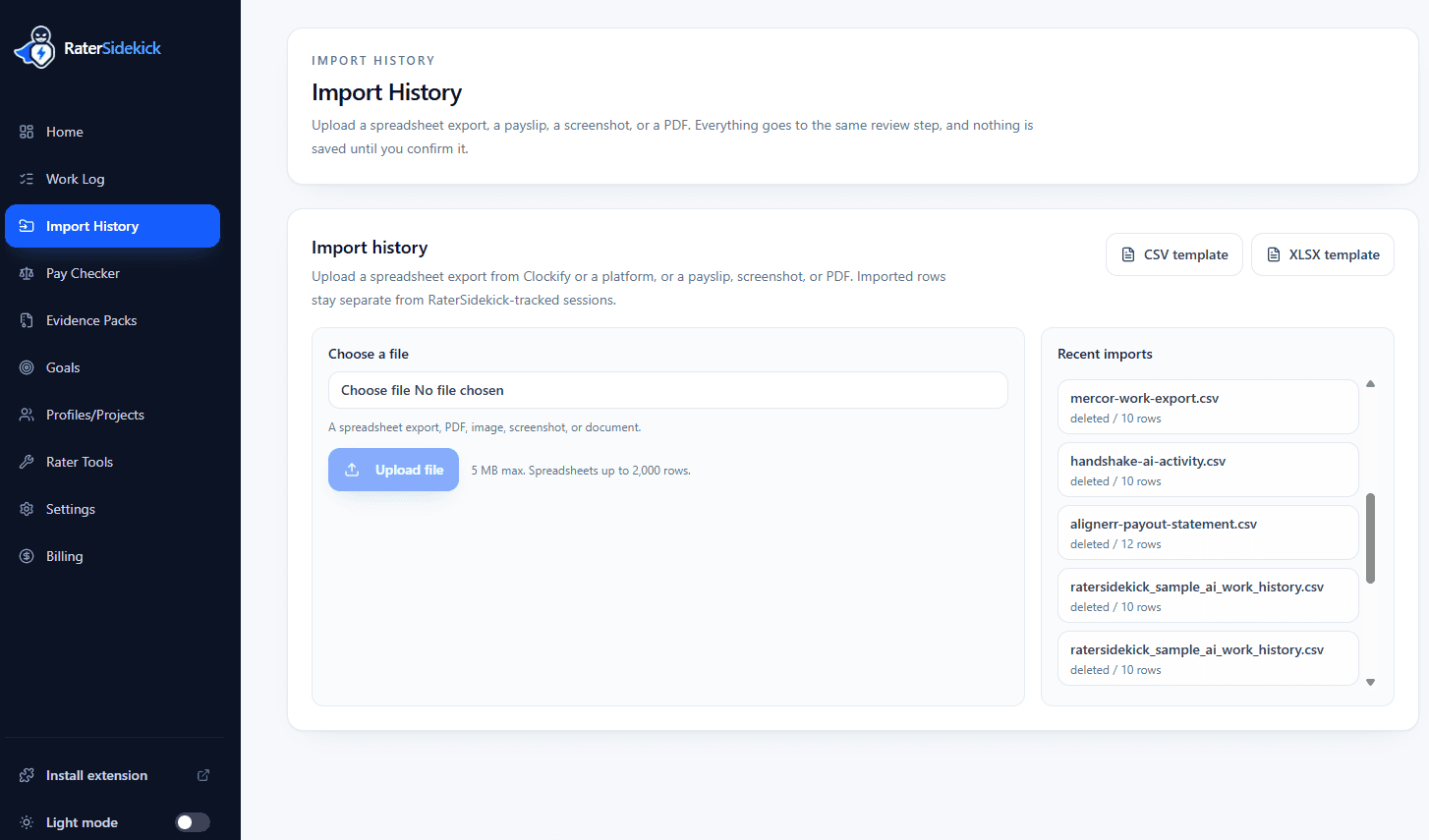
Auto tracking
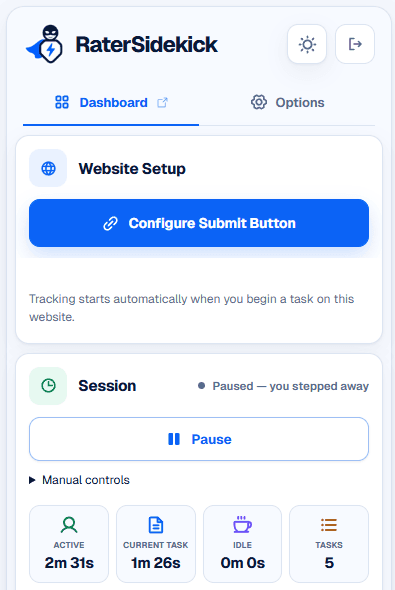
The extension begins tracking automatically when you start a task on a website you designated - and pauses when you step away. Active time, current task, and session controls stay one click away.
Why it matters
AI contractors often work across separate dashboards, projects, rates, and reporting systems. One platform may show hours. Another may show tasks. Another may only show earnings after a delay.
RaterSidekick gives you your own private work hub before you need to reconstruct anything from memory: projects, sessions, task activity, estimated earnings, goals, and platform history captured as you work.
How it works
Add the optional extension or import your history, choose the sites or project profiles you want to track, and let the dashboard build your private work history.
Chrome extension, optional. About 60 seconds, on sites your project allows.
Add to Chrome ->Or import. Spreadsheets, Clockify, and platform reports.
Import history ->Track only the websites and workflows you designate. Nothing else.
Projects, sessions, tasks, estimated earnings, goals, and history - from your first tracked session.
Compatibility
If a platform requires Insightful, Hubstaff, or its own dashboard, keep using it. RaterSidekick is not employer monitoring software and does not replace those tools. It is designed to run separately as your private work-hub layer for your own records.
01
Private project, session, task, and earnings history
02
No screenshots, keystroke logging, screen recording, or task-content capture
03
Works only on websites and project profiles you explicitly designate
Pricing
RaterSidekick Pro includes unlimited project profiles, unlimited work history, Pay Checker, Evidence Packs, and résumé tools. Pay monthly, or save 50% with annual billing.
Try Pro on your next work session.
$0
Pro trial: 7 days · no card required
One trial per eligible customer.
Included in your trial
Your trial ends after 7 days. Subscribe only if you want to continue.
For AI contractors who want one private view of projects, sessions, tasks, estimated earnings, goals, and platform history.
$14.99/month
Save 50%Billed annually at $179.88
7-day trial · No card required
What's included
Pays for itself if you recover roughly 11 minutes/month at $80/hour.
Request help choosing platforms and setting up project profiles. We review each request and send setup instructions by email.
Usually reviewed within 24 hours.
Trust
No, it's optional. It's the quickest way to keep your record when you're comfortable using it and your project allows browser extensions. If not, import your history from spreadsheets, Clockify, or platform exports.
No. RaterSidekick does not save prompts, answers, submissions, ratings, comments, client work content, screenshots, or keystrokes. It keeps private work metadata such as platform, project/profile, session time, task count/type where supported, estimated earnings context, and timestamps.
No. RaterSidekick is not employer monitoring software and does not replace platform-required tools. If a platform requires Insightful, Hubstaff, or its own tracker, keep using that tool. RaterSidekick is designed to run separately as your private work-record layer and only tracks the websites/actions you configure.
No. Platform dashboards and required trackers still matter. RaterSidekick gives you your own private record beside them, so you can review projects, sessions, tasks, estimated earnings, goals, and history without relying only on memory.
No. It cannot force a platform to change a report or accept your numbers. It helps you keep a clearer independent record so you are not starting from zero when something looks wrong.
No. RaterSidekick does not take screenshots, log keystrokes, record your screen, save prompts, save answers, or copy task content. It only records private work metadata for websites/actions you configure.
No. Chrome uses one label for every extension that reacts to a click or a key press, and there is no finer setting available to us. RaterSidekick reacts to two things, on the sites you choose: the submit button you point it at during setup, and the shortcut you set. Nothing you type is recorded - not on our servers, and not on your device. What reaches your account is the outcome: a task was completed, when it happened, and how long it took.
Any website you designate. Common examples include Outlier, Mercor, DataAnnotation, Scale, TELUS, Alignerr, micro1, Handshake, Ethos AI, TryRating, and Apple Baseline workflows where applicable.
Project Profiles let you separate work by platform, contract, project, website, or workflow. A profile can have its own website, rate/configuration, and reporting view, so you can filter your dashboard by project, platform, or date range.
Your trial ends after 7 days. Subscribe only if you want to continue. Manually approved complimentary access requires a separate paid subscription to continue.
Your data is encrypted, accessible only to your account, and never shared with third parties.
Workflow notes
Short, opinionated guides on independent work records, platform timers, and true hourly output for AI contractors.
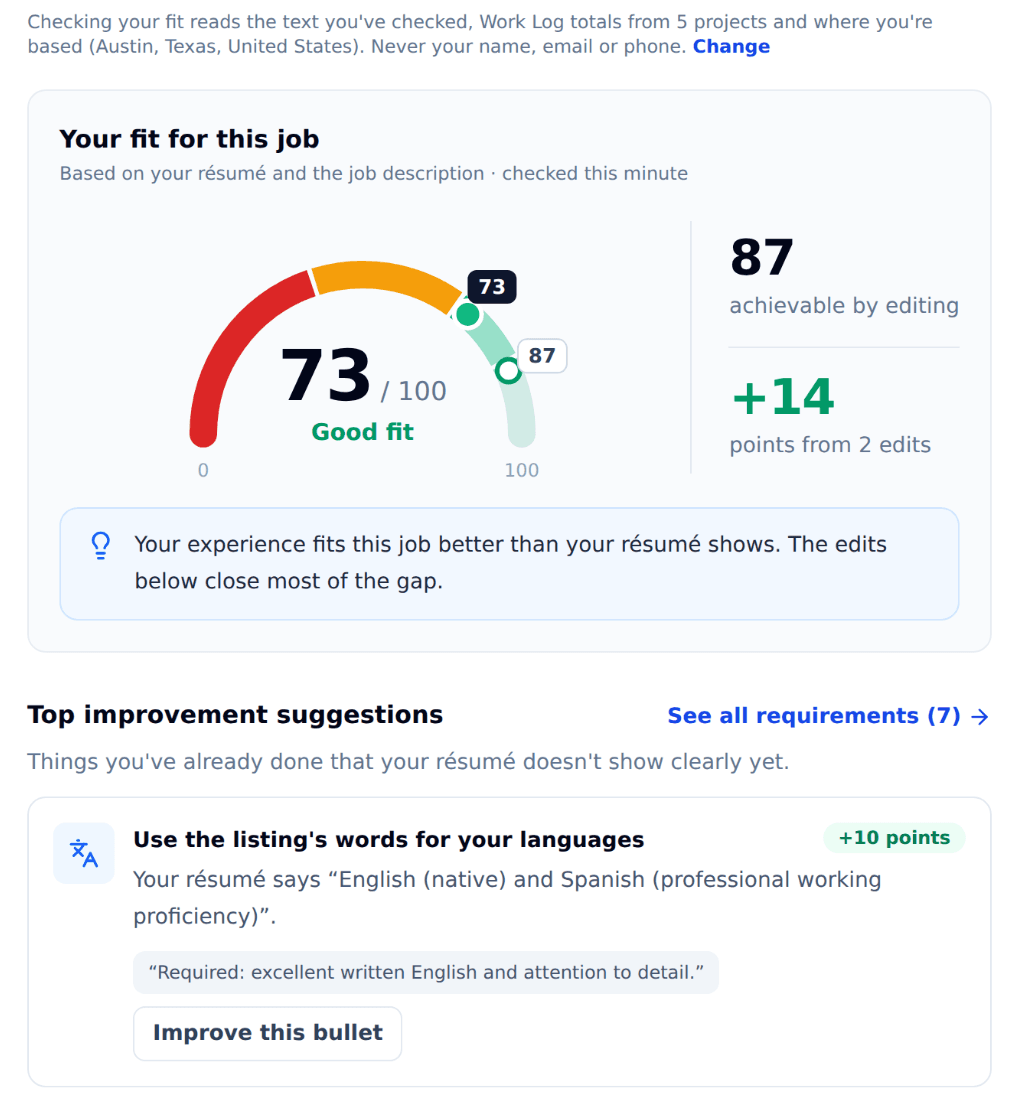
Three resume examples, evidence you can verify, and a way to check your fit before applying for remote AI training work.
Blog
Track AI rating tasks automatically, compare time and earnings across platforms, and use RaterSidekick Pay Checker to check your records against reports.
Blog
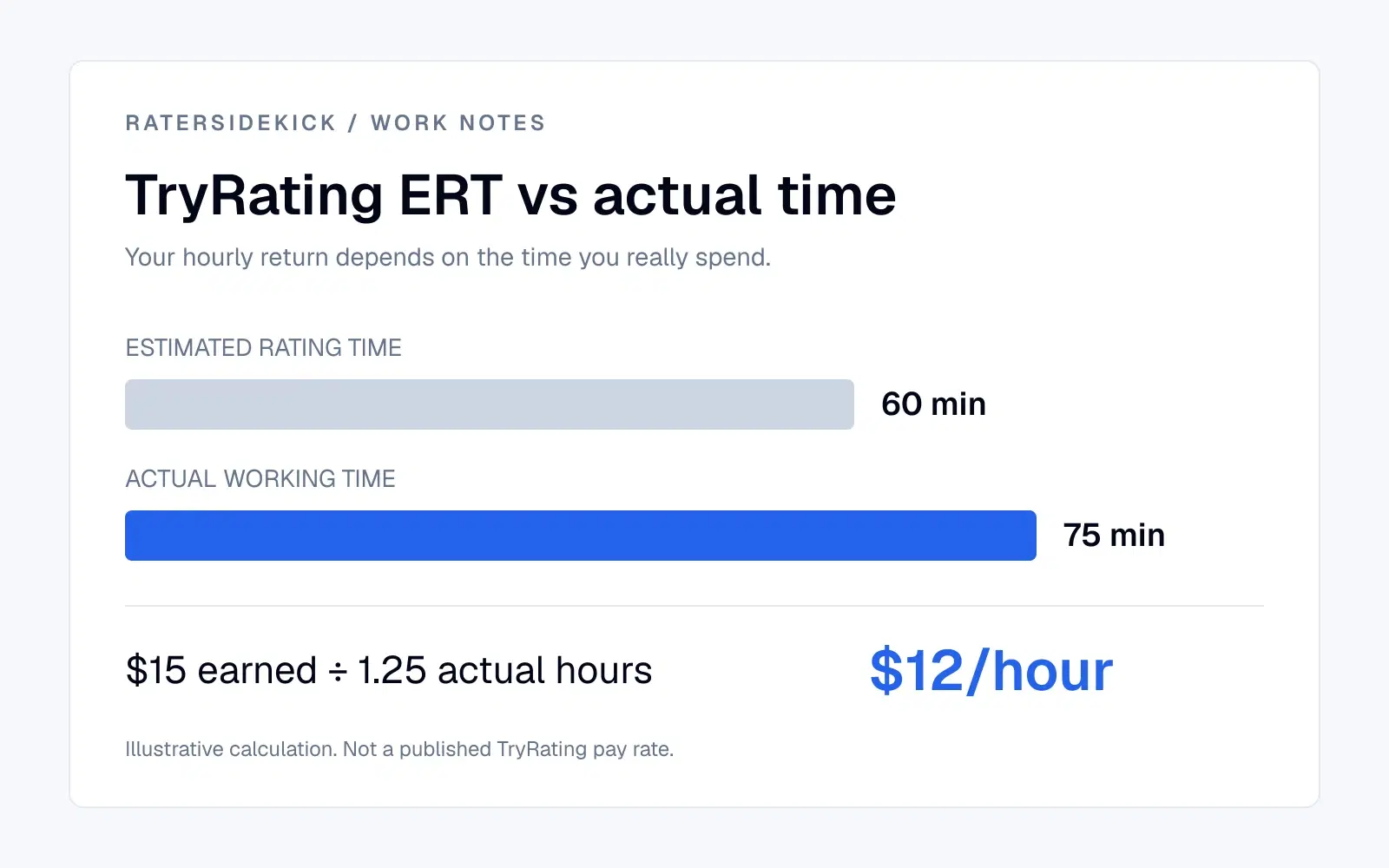
Understand ERT, calculate your effective hourly rate, and compare spreadsheets, Toggl, Shastimer and RaterSidekick for TryRating work.
Blog
Own your work
Track projects, sessions, tasks, estimated earnings, goals, and work history from your next session forward.
Pro trial: 7 days · no card required · About 60 seconds to set up