
TryRating ERT vs actual time: your real hourly rate
By Christian Sillo, RaterSidekick. Published September 27, 2026.
Estimated Rating Time, or ERT, is the expected time assigned to a TryRating task. Actual time is how long the work takes you. Calculate your effective hourly rate by dividing earnings by actual working hours, not by ERT.
Finish a rating session. Update the spreadsheet. Check the timer. Add the task count. Work out what you earned.
Keeping a record matters. Rebuilding it by hand after every session is the part worth changing. Keeping ERT and actual time together helps you see both your project's expected pace and your return on the time you spent.
Why ERT and actual time belong in the same record
A task-based payment can translate into a different hourly return depending on how long the work takes. OneForma's published Maps evaluation listing describes payment for approved evaluations, with exact rates shared during onboarding. Your own project's payment terms determine which model applies.
Consider this illustrative example, not a published TryRating pay rate:
| Measure | Example |
|---|---|
| Total ERT for completed work | 60 minutes |
| Actual time spent | 75 minutes |
| Earnings for that work | $15 |
| Effective hourly rate | $12/hour |
The calculation is $15 ÷ (75 ÷ 60) = $12/hour.
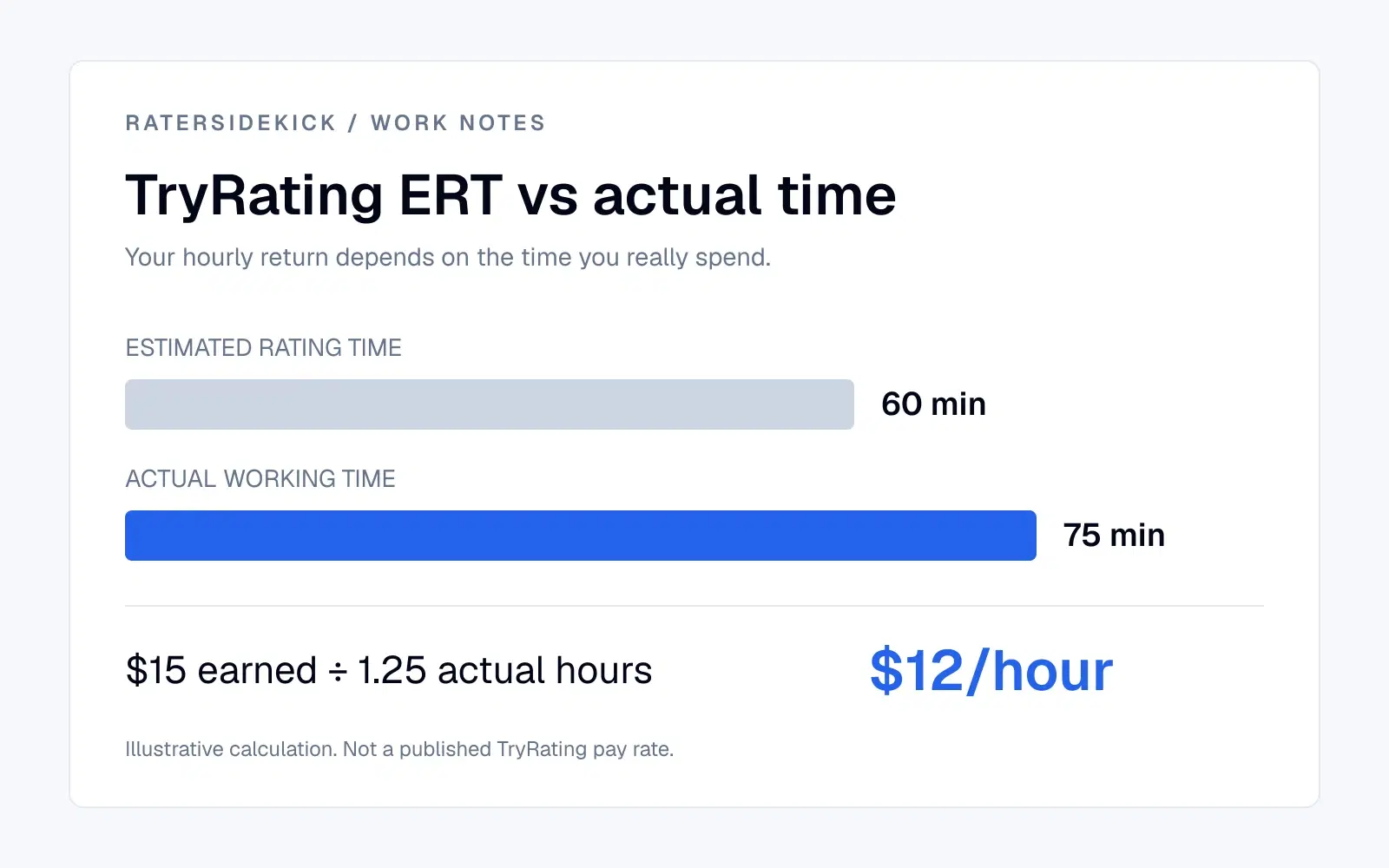
Dividing the same earnings by 60 minutes of ERT would produce $15 per allocated hour. That describes the expected-time basis of the example, not the hourly return on the 75 minutes you actually worked.
For a fuller picture, include work-related research and administration in your time total. Use confirmed earnings when available; an estimate produces an estimated hourly rate. Keep the earnings and time totals for the same tasks and date range.
The aim is to understand your return on time, not rush through surveys.
How to calculate your TryRating effective hourly rate
- Choose a completed session or pay period.
- Total the confirmed earnings for that work, or label the amount as estimated.
- Total the actual minutes you spent on that work, including relevant research and administration.
- Divide actual minutes by 60 to convert them to hours.
- Divide earnings by those actual hours.
Effective hourly rate = earnings ÷ actual working hours.
Keep ERT in a separate column. It helps explain the gap between expected and actual duration without replacing the time you really spent. If no actual time is recorded, you cannot calculate a meaningful effective hourly rate from ERT alone.
Spreadsheets, Toggl, Shastimer or RaterSidekick?
| Option | What it covers | What to consider |
|---|---|---|
| Spreadsheet or manual timesheet | Your own columns for dates, tasks, ERT, time and pay | Flexible, but you maintain entries and formulas. |
| Toggl Track | General-purpose time tracking, including automatic activity recording | Useful for hours; consider how you will record survey counts and ERT alongside them. |
| Shastimer | Automatic TryRating survey counting and time tracking, with actual versus expected time by survey type | Advertises €1.99/month for a focused TryRating workflow. |
| RaterSidekick | Automatic sessions and task counts, optional allocated-time capture, history imports, Pay Checker and Evidence Packs | Combines daily tracking with earnings review and your independent work history. |
Comparison based on published product descriptions and RaterSidekick's current implementation. Prices checked September 27, 2026. Prices use each product's advertised currency.
For a TryRating timer alone, Shastimer is a lower-cost option. RaterSidekick earns its place when you also want to bring past records together, review pay and maintain a broader work history. Those needs can exist on one platform or several.
What RaterSidekick removes from your routine
After setup, RaterSidekick's extension can start, pause and resume sessions automatically and count configured submit actions. Optional allocated-time capture lets you select the expected-time field on your connected work site. When that field can be read, the extension parses its duration on your device and attaches the numeric time to the task completion. It does not extract task-type text from the page.
That shifts the routine from entering every session to reviewing the captured record. Check the time and task counts, particularly after a work site changes its layout. Add any relevant time that your tracked session does not include.
Existing spreadsheet, Clockify and supported platform-export history can be imported, with imported rows kept distinct from tracked sessions. Your previous record stays useful rather than becoming a separate archive. See the work-log and history-import overview.
At payment time, Pay Checker compares your records with reports you upload. Evidence Packs organize relevant details for support when a difference needs explaining. For ERT-based work, compare like with like: a gap between actual time and allocated time is not itself a payment error.
This is the distinction behind The Platform Timer Is Not Your Work Record. For another general-purpose timer comparison, see Clockify vs RaterSidekick.
Can automated tracking pay for itself?
RaterSidekick Pro pricing is $29.99 monthly, or $179.88 billed annually, equivalent to $14.99 per month.
Break-even admin minutes per month = monthly cost ÷ hourly value of your time × 60.
| Your time's value | Annual plan: $14.99/month equivalent | Monthly plan: $29.99 |
|---|---|---|
| $5/hour | 180 minutes | 360 minutes |
| $10/hour | 90 minutes | 180 minutes |
| $15/hour | 60 minutes | 120 minutes |
Calculated examples, rounded up. Use your own rate and costs in the same currency, including applicable taxes or conversion charges.
Suppose manual tracking takes six minutes a day and reviewing an automatic record takes two. Across 20 working days, you save 80 minutes. At $15/hour, that time is worth $20, exceeding the annual plan's monthly equivalent. The annual plan still requires the full annual payment.
That is time value, not guaranteed extra income. Include setup time and quieter months in your assessment. Already using Shastimer or another automatic tracker? Compare the additional cost and additional time saved, rather than counting automation you already have.
Common TryRating tracking questions
What does ERT mean on TryRating?
ERT means Estimated Rating Time: the expected duration assigned to a task. It gives you an expected-time measure to compare with your actual working time.
Does working longer than ERT mean I will be paid more?
Do not assume that it does. Payment depends on your provider's project terms. If the project pays per approved task or uses allocated time, taking longer can reduce your effective hourly rate without increasing the amount payable.
Is RaterSidekick allowed on TryRating?
Check your provider's agreement and ask project support where permission is unclear. RaterSidekick is independent; an extension listing does not establish permission for your project. Its task counter recognizes your configured submit action. Continue using any required reporting tools.
Can I import my existing spreadsheet?
Yes. RaterSidekick supports CSV/XLSX history imports. Review the imported values before saving them. You can start with existing records instead of waiting to build a new history.
Does it capture my rating answers?
The tracking extension records work metadata, not prompts, answers, screenshots or keystrokes. Optional allocated-time capture parses the duration from the field you select; the source text is not sent with work events. Document imports are a separate process you initiate. See the privacy policy for the data each feature uses.
Put it to the test on your next session
Try RaterSidekick alongside your current method for a few sessions. Check the captured time and task counts, then measure how much administration remains.
Start your seven-day RaterSidekick trial. No card required.
RaterSidekick is independent and is not affiliated with or endorsed by TryRating, OneForma, Toggl or Shastimer.