
Time tracking for TryRating contractors
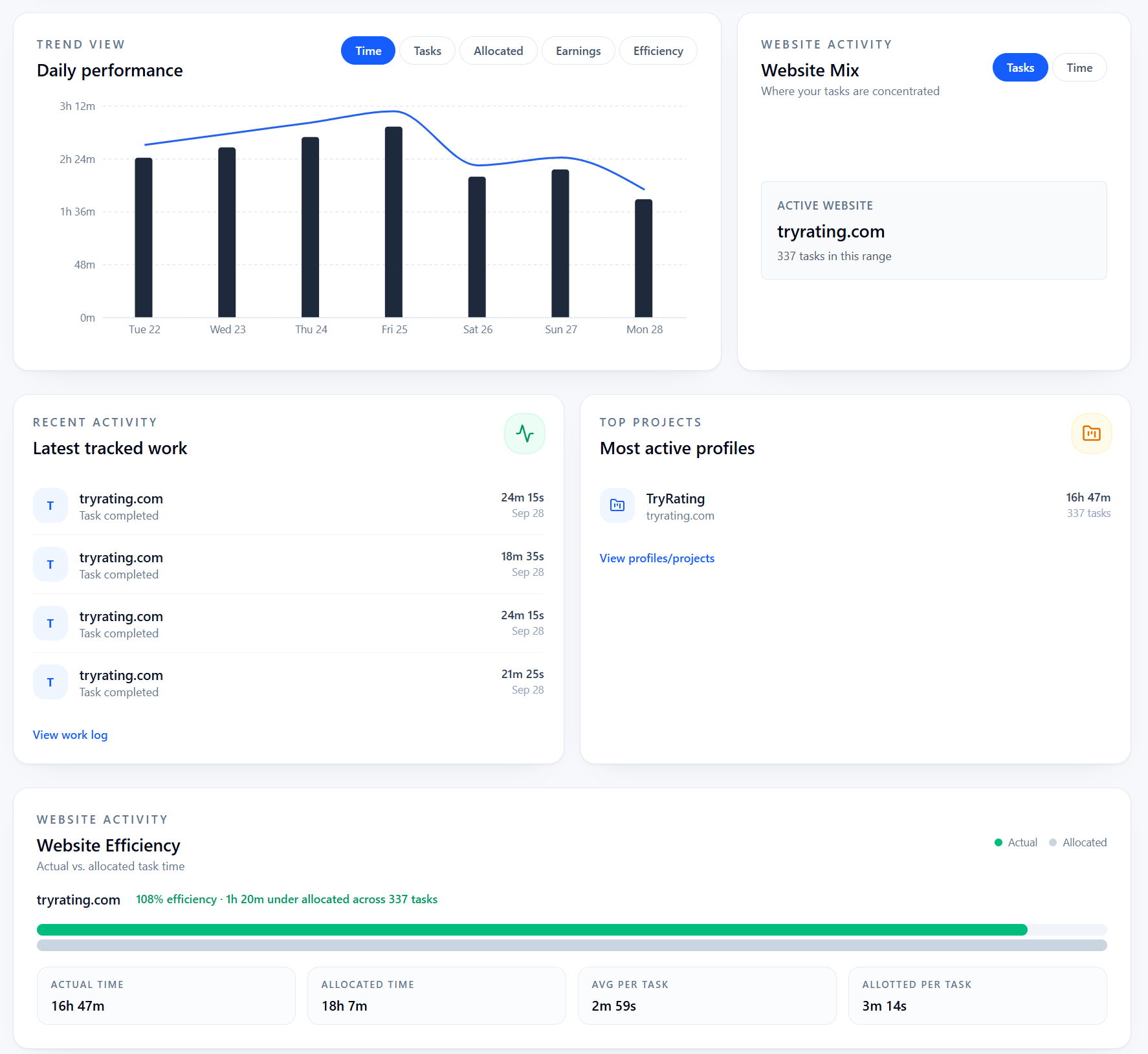
RaterSidekick automatically records the AET shown on each TryRating task, counts your tasks, and tracks how long you spend on each one.
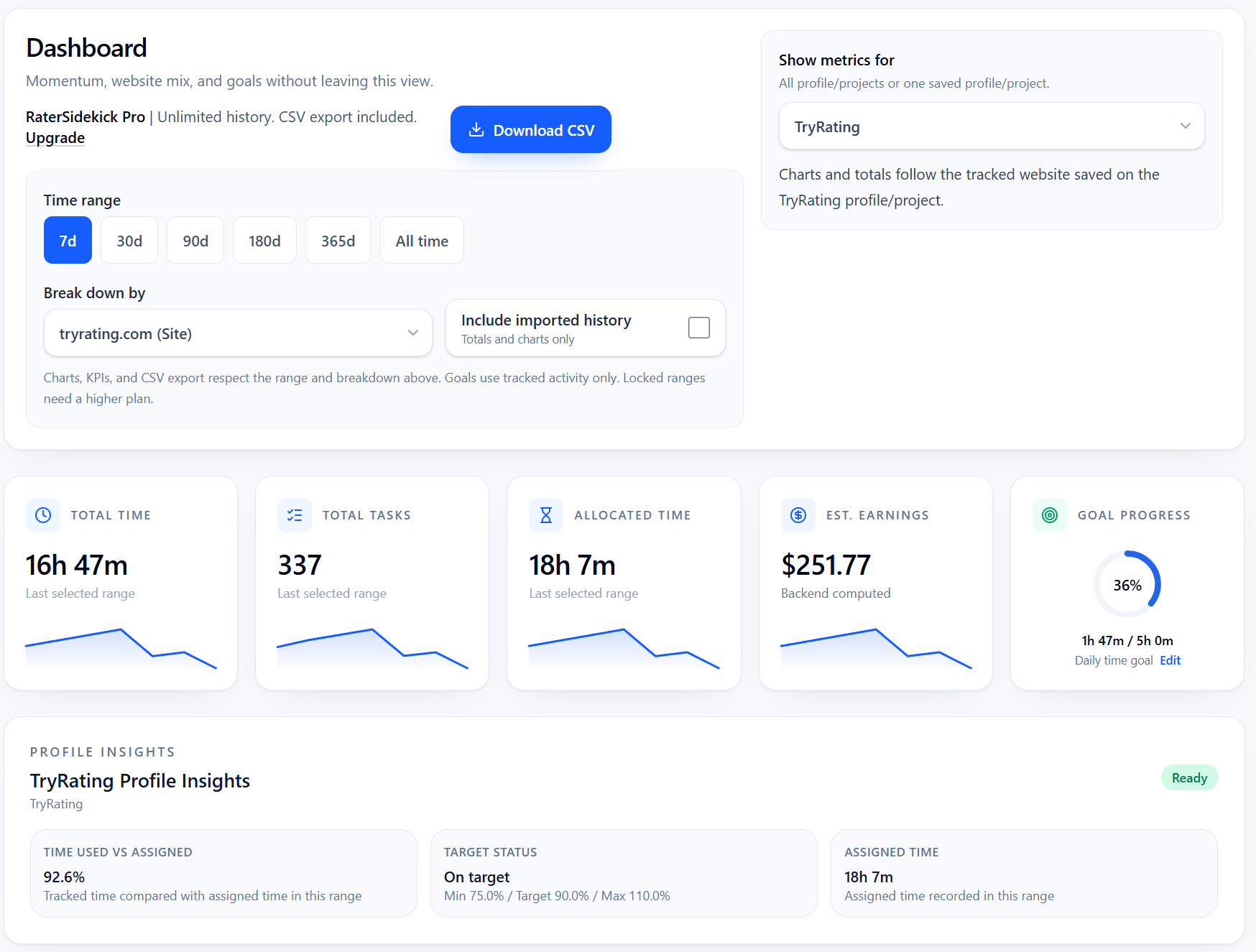
Your TryRating work in one place
- Import work history from spreadsheets or platform exports
- Use Pay Checker to compare your records with platform reports
Set it up once.
Keep working as usual.
Point the extension to the AET field and both submit buttons. It remembers your selections for subsequent tasks.
- 1
Connect TryRating
Choose TryRating as a tracked website in the extension.
- 2
Select the AET and submit buttons
Show the extension where to read AET and which two buttons submit your work.
- 3
Review your work
See task counts, AET, actual time, and earnings estimates based on your pay settings.
Quick answers
How do I set up TryRating tracking?
On a TryRating task page, use the extension to select the AET field and both submit buttons. RaterSidekick remembers your selections for subsequent tasks.
Does RaterSidekick record TryRating AET automatically?
Yes. After setup, it automatically reads each task's AET and tracks the time you spend. Submitting through either saved button records the completed task and updates your task count.
Can I see TryRating hours and earnings together?
Yes. See tracked hours and earnings estimates based on your pay settings. Estimates may differ from your platform's final payment.
More on tracking your work
Keep a record of your next TryRating session.
AET, task counts, and time spent. Together.
Try for freeFree for 7 days. Cancel anytime.