Why AI Raters Need Work Logs, Not Just Timers
You just finished a session. Your timer says 2 hours. But what does that actually tell you?
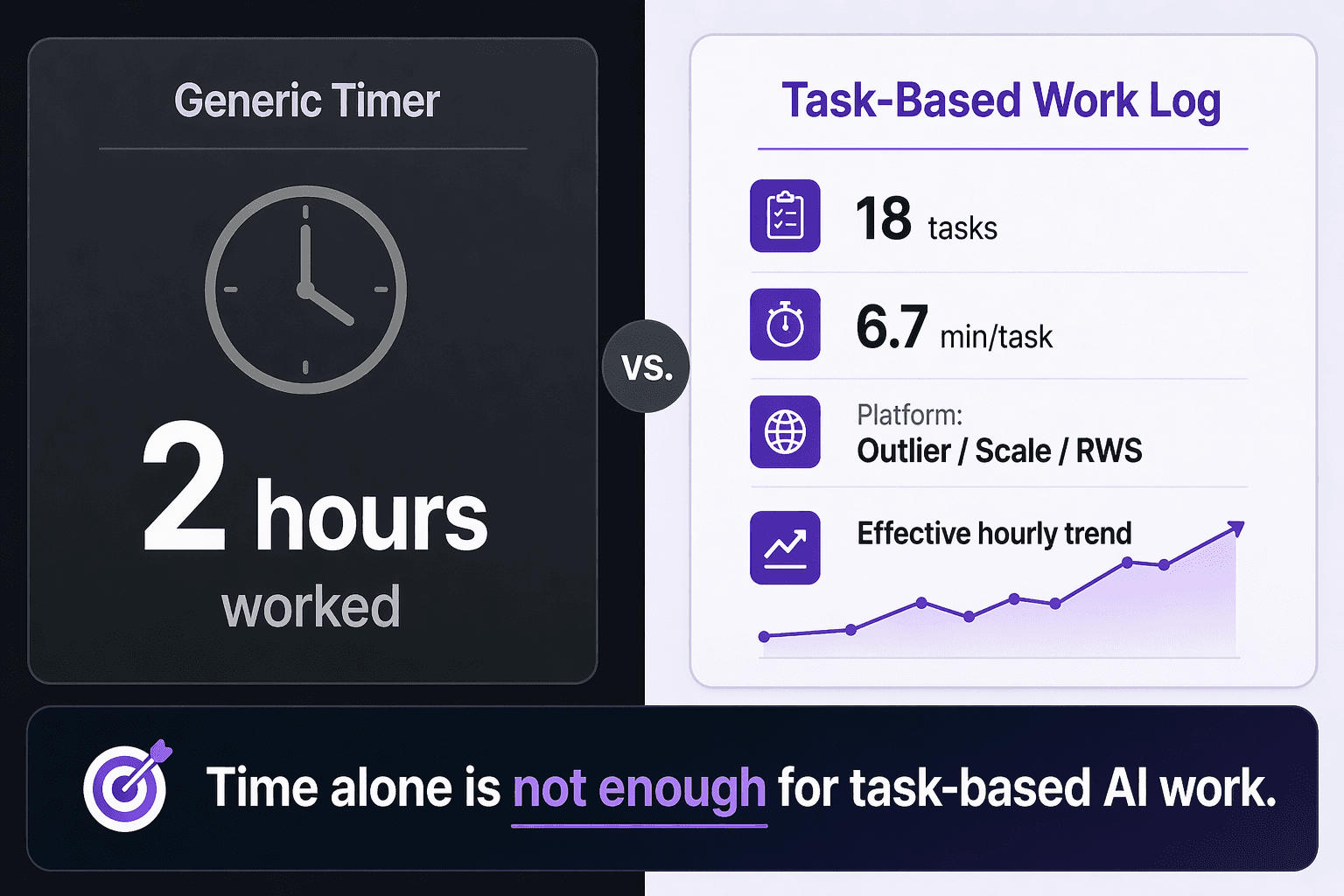
Not much - if you're doing task-based AI work.
For AI raters, RLHF contributors, evaluators, and annotators, "2 hours worked" is the wrong unit of measurement. Two hours on Outlier is not the same as two hours on Scale. Two hours of easy classification tasks is not the same as two hours of complex ranking work. The number on a timer hides the information you actually need to make decisions.
Clockify tracks time. That's the problem.
Generic time trackers were built for hourly employees and freelancers with predictable work. They answer one question: when did you start and stop?
Task-based AI work needs more. You're likely juggling two or three platforms - Outlier, Scale, RWS, DataAnnotation, Telus, OneForma. Each has different task types, pay structures, and review cycles. A single "2 hours" number collapses all of that into noise.
What a timer won't tell you:
- How many tasks you completed
- How long each task actually took
- Which platform was worth your time
- Whether your effective hourly rate went up or down
- Which projects quietly drained your session without paying off
A work log answers the questions that matter
Instead of "2 hours worked," a good work log shows you:
- 18 tasks completed
- 6.7 minutes per task
- Split across Outlier, Scale, and RWS
- Effective hourly trending up over the last two weeks
Now you can see patterns.
This project feels easy, but each task takes too long. This platform pays well only when I get the right task type. My speed is improving - my real hourly is climbing with it. This project isn't worth accepting again.
Those are decisions. A timer can't give you decisions.
What RaterSidekick does differently
RaterSidekick connects the four things that actually define an AI contracting session: tasks, time, platform, and session history. You stop relying on memory, scattered spreadsheets, or a stopwatch that doesn't know what you were working on.
At the end of a week, you can answer the questions that determine your income:
- Which platform gave me the best return?
- How long does this task type really take me?
- Am I getting faster?
- What should I prioritize next week?
The takeaway
Generic timers track hours. Work logs track value. If you're building a career in AI rating, annotation, or evaluation, the second one is what compounds.